Technological advancements have subtly shifted the way people engage in daily household activities. Many find chores less time-consuming, leading to more opportunities for relaxation, family, or hobbies.
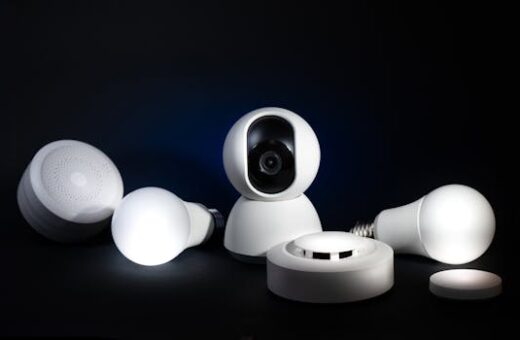
Smart home devices and automation services are now seamlessly integrated, addressing the friction of repetitive manual tasks. Appliances with smart features bring practical relief to those juggling work and home responsibilities.
A common misconception suggests that for every task, technology is always superior to traditional methods. Yet, awkward inefficiencies can arise if new tools are adopted without purpose or understanding.
This article explores the real impact of technology on household activities, presenting practical insights, comparisons, and steps for households wishing to modernize while avoiding common pitfalls.
How Smart Devices Transform Daily Chores
Modern technology has revolutionized common chores, enabling laundry, vacuuming, and even dishwashing to be managed from a smartphone or through voice assistants.
Households benefit from programmable devices such as robotic vacuum cleaners, which not only clean automatically but adapt to schedules set by users through connected apps.
Efficiency: The Unexpected Perks
One surprising advantage is predictive maintenance. Smart washers alert users to potential issues early, saving time and avoiding expensive repairs.
However, failure occurs when owners skip app notifications and let maintenance issues escalate. A simple script: “Remind me weekly about washer status,” prevents problems.
Users recovering from manual overload can set device rules such as, “If the vacuum runs, send a completion alert.” Automation fosters more confidence in the system.
This feedback loop of reminders and actions can gradually replace manual checklists, freeing up attention for more meaningful daily experiences.
Convenience vs Traditional Routine
Technology simplifies scheduling, but understanding what works helps avoid confusion. Most people program routines and forget them. The best method involves regular review and minor adjustments as family needs shift.
For instance, smart lighting allows for “sunrise modes” that traditional switches do not offer. Customizing these settings promotes smoother mornings for every household member.
Setting up routines through apps is a mini sequence: Install, name the routine, select devices, then run a preview to confirm behavior matches intent.
This contrast encourages proactive engagement versus the set-and-forget tradition that sometimes leads to frustration if needs evolve unexpectedly.
Simplifying Meal Preparation with Technology
Smart kitchen gadgets now offer direct benefits, making meal prep more efficient and less burdensome. Users quickly notice reduced waste and improved consistency in their recipes.
When starting to integrate kitchen tech, focus on outcome: fresher meals, less shopping stress, and easier cleanup. This brings tangible benefits to household activities.
Quick Start: From Setup to Cooking Success
Begin by installing recipe apps linked with smart ovens or refrigerators. Granting permission to store grocery lists is useful for automating restocks when essentials run low.
A timeboxed first session: set aside 30 minutes to connect, sync, and test a recipe. Treat early sessions as exploratory, not pressure-filled.
Don’t chase the “fancy” features immediately. Instead, master basics first: timer, food monitoring, and ingredient updates. Advanced steps follow naturally as comfort with technology increases.
- First-day setup should include device registration, Wi-Fi connection, and permission to sync shopping lists for improved accuracy during meal planning.
- Test messaging with household members to share schedules, ensuring no one misses dinner plans or grocery needs.
- Set notifications for expiration dates. Tech helps minimize food waste and surprise shortages when meal prepping.
- Explore voice commands and quick-access buttons to speed up common actions, like preheating or changing cooking programs.
- Celebrate small wins, like your first perfectly cooked meal using technology. Acknowledging progress builds confidence in adopting more features.
If a device malfunctions—say, a smart oven fails to preheat—switch to manual settings, then consult the app’s troubleshooting guide. Recovery can be as simple as updating firmware.
Streamlining Home Cleaning: From Routine to Smart
Automated cleaning equipment, such as robotic mops and vacuums, offers practical relief from routine chores. Scheduling cleanings aligns with family life and daily activities.
Once installed, these devices handle surface maintenance efficiently. Users gain predictable, cleaner environments by embracing technology and making adjustments as necessary.
Optimizing Automation and Avoiding Overlap
A successful setup begins by mapping floor plans via the device app and using custom cleaning zones. Permissions for data sharing support the learning process and enhanced cleaning precision.
A structured first session involves running the robot in supervised mode to ensure correct navigation and spot unexpected barriers or problem areas around the house.
It’s tempting to manually intervene with automatic cleaning devices. Instead, let the cycle finish, then only address problem spots, preventing wear and inefficiency from overuse.
- Charge the device fully and map rooms before regular operation to maximize coverage and battery life.
- Assign cleaning zones in the app, tailoring routines for high-traffic or allergy-prone sections of your home.
- Sync notifications to your phone. Immediate alerts allow prompt corrections if something disrupts the cleaning process.
- Label pet or high-clutter areas as off-limits to prevent jams or device malfunctions.
- Review cleaning logs monthly to refine schedules and ensure device performance remains optimal for household activities.
If an error interrupts cleaning, reset the device, remove physical barriers, and rerun the last cleaning map. Quick recovery restores order with minimal downtime and stress.
Efficient Home Management: Digital Assistants Unify Tasks
Voice-controlled digital assistants, such as smart speakers, centralize control over multiple household activities. They simplify task delegation, schedule coordination, and even hands-free reminders.
Families use assistants to create shared calendars, shopping lists, or reminders, which keeps everyone’s routines visible and minimizes miscommunication among household members.
Building Seamless Routines Across Devices
Create interconnected routines by programming the assistant to manage lighting, climate, and entertainment. Permission settings allow personalization for each user in the household.
During setup, tailor routines to daily rhythms: “Good morning” can trigger lighting, coffee, and weather updates. Try a 15-minute session tuning prompts and commands for family preferences.
Don’t clutter the schedule. Focus on two to three core commands, adjusting as familiarity and comfort with the assistant grows.
- Enable family sharing within smart home platforms for streamlined communication and shared access to reminders.
- Test routines at different times of day, ensuring consistent responsiveness from all devices integrated in your network.
- Regularly update security permissions to safeguard privacy when sharing access.
- Audit routine usage monthly: Remove rarely used routines and optimize voice commands for clarity and speed.
- When possible, use built-in assistant resources for troubleshooting. This limits confusion if issues arise during routines tied to household activities.
If synchronization problems appear, restart the assistant, check Wi-Fi, and retrace steps in the setup app. Most hiccups resolve quickly, but persistent issues may require a device reset.
Managing Utilities Smarter: Energy Efficiency and Cost
Home automation delivers measurable cost savings. Smart thermostats, lights, and water sensors reduce waste by adapting to actual usage patterns without manual intervention.
Using technology translates into smaller energy bills and a reduced environmental footprint, combining household activities with sustainable practices through intelligent monitoring and adjustment.
Data-Driven Adjustments for Sustainable Living
Smart meters deliver minute-by-minute usage data. By reviewing reports, users optimize peak consumption and target energy savings with practical adjustments.
Instead of defaulting to “always-on” devices, implement timed or sensor-triggered systems for heating, cooling, and lighting. This aligns utility use closely to daily rhythms.
Check device permissions so only trusted apps can access usage data, maintaining privacy while still benefiting from advanced reporting functions.
- Install smart plugs to monitor appliance use and schedule power cycles.
- Reserve maximum usage times for off-peak hours that may cost less.
- Audit bills monthly using synchronized app records for transparency.
- Tune water sensors to avoid unnoticed leaks, which can drive up costs.
- Synchronize utility data with budgeting tools for clearer household spending insight.
If unexpected surges still happen, troubleshoot for rogue devices, disable auto-scheduling, and gradually reintroduce devices after confirming resolution. This proactive recovery plan keeps utilities under control.
Securing the Home: Safer and Smarter Solutions
Technology strengthens household security with video doorbells, motion sensors, and smart locks. Families manage access and monitor entry points directly from mobile devices, no matter where they are.
These solutions allow users to confirm deliveries, interact with visitors, or receive alerts about unexpected activity. Daily routines feel safer and more predictable.
Personalizing and Managing Security Systems
Begin by setting personalized access codes for family and trusted visitors. Limit administrative permissions to primary adults for tighter control over home entry and alerts.
Schedule regular system status checks during less busy periods of the day. Be deliberate: do not automate everything at first; start with basic lock and camera controls, then expand as comfort grows.
One counterintuitive rule: more notifications are not always safer. Instead, refine alerts for true emergencies or rare events to avoid alarm fatigue and mismanagement of critical triggers.
If an incorrect code disables access, utilize backup authentication options or contact support using encrypted chat provided by the security app. Prepared backup plans prevent lockouts or missed alerts.
| Device Category | Core Benefit | Best Practice | Common Mistake |
|---|---|---|---|
| Smart Locks | Controlled access | Unique codes for each guest | Using the same code for all users |
| Video Doorbells | Remote monitoring | Enable motion alerts only for key areas | Leaving default motion sensitivity |
| Security Cameras | 24/7 surveillance | Regularly change passwords | Default password usage |
| Motion Sensors | Immediate alerts | Calibrate for pets and traffic | No manual testing after installation |
| Smart Alarms | Responsive notifications | Integrated with mobile apps | Failing to test alert functionality |
Enhancing Family Connectivity and Wellbeing
Technology now supports emotional and social aspects of family life by simplifying communication, sharing reminders, and scheduling activities for every member of the household.
Using group chats, digital calendars, and smart speakers, families share important updates about household activities, ensuring no task or event gets forgotten or duplicated.
Tools that Foster Connection and Balanced Living
Deploy devices with built-in reminder functions. Set regular family meetings or check-ins using digital tools to maintain transparent communication.
Set permissions so younger family members adapt technology usage gradually. Privacy controls must be respected, adjusting access as children mature and gain responsibility.
Families that rely on text reminders and voice announcements experience fewer scheduling surprises. One script: “Alexa, remind us to call Grandma Sunday at 3 p.m.” fosters connection without pressure.
When technology use becomes a distraction, institute gadget-free times during meals or dedicated activities. A balanced approach promotes wellbeing as well as household productivity.
Conclusion
Prioritize outcome-driven integration for household activities by starting with easy wins like smart lighting or automated reminders, then gradually expand your toolset as comfort grows.
Sequence matters: begin simple, master basic features, and add complexity only as skills and routines stabilize. This approach prevents frustration and supports ongoing engagement.
Pitfalls appear when families overwhelm themselves with unnecessary devices and conflicting schedules. Avoid this by adopting a deliberate, review-and-adjust method for every household member.
Start today by identifying one household activity to upgrade. Set up a new device, assign responsibilities, and celebrate the improved daily experience together.