Modern lives can feel overwhelming when juggling work, home, and personal priorities. Thoughtful daily planning becomes vital, especially as technology reshapes how we allocate time and attention each day.
Many people spend precious minutes sorting emails or searching for important details lost in digital clutter. Achieving consistent results calls for more than just effort – it requires smarter systems and the right technology tools.
Some may think technology complicates life or creates distractions that disrupt routines. Yet, using digital solutions correctly can streamline your day and finally increase productivity without extra stress.
This article explores practical ways technology shapes effective daily planning. You will find user-friendly tips, proven strategies, and helpful comparisons to help you achieve more with less hassle, starting from the very basics.
Why Smart Daily Planning Tools Earn Lasting Loyalty
Digital planners and apps attract users due to their real impact. They centralize information, minimize time wastage, and make deadlines and events visible at a glance.
Routine use enables faster adaptation to change. Real-time sync and reminders reduce forgotten tasks and enhance reliability, making life less stressful.
Motivators and Surprising Loyalty Factors
Users usually start with digital planners seeking organization, but stick with them for the sense of control and peace of mind as plans stay up to date automatically.
One counterintuitive finding: the best tools don’t add effort – they remove steps. If you need to enter details repeatedly, you will eventually abandon the platform.
A worst-case scenario: someone sets up recurring reminders, but misses a key event because the notifications were never customized. Frustration builds and they revert to old habits.
Here’s how to recover: Open your settings, locate the notification panel, and use this script: “Show me my reminders daily at 8am and 3pm as banners.”
Popular Technologies: What Works and What Doesn’t
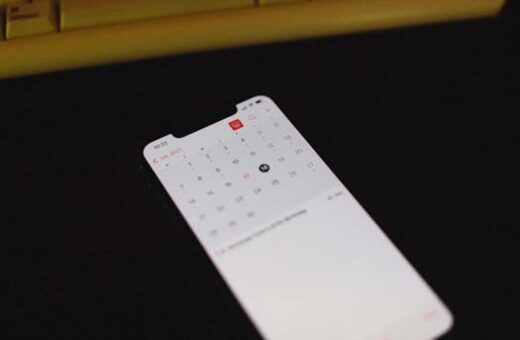
Calendar apps come pre-installed on many phones, but users jump between apps instead of customizing one. Most people accept default views rather than tailoring them.
An optimal setup starts with syncing calendars across devices. Choose only two tools: a main planner for tasks and a calendar for appointments.
Set your organizer to display one week and use categories for home, work, and goals. Advanced users can automate recurring entries using template functions within the app.
The most common habit is jumping between digital and physical notes. It is more effective to centralize all entries in your main app and use only digital backups.
Begin Your Planning Journey Without Initial Setbacks
Early habits shape outcomes long-term. Adopting key daily planning best practices from day one builds confidence and supports lasting improvement.
Taking a proactive approach – setting up permissions, templates, and basic routines before relying on the system daily – minimizes confusion and technical hiccups.
Getting Started: Install, Setup, and Your First Planning Session
Begin by downloading a recommended productivity app. Review requested permissions, allowing access only to calendar and notifications for your security and privacy.
On the first launch, personalize time zones, notification sounds, and language. Experiment with quick-start tutorials provided to preview essential actions.
Your first session should be brief (10–15 minutes). Add key appointments for the week and two daily tasks to test reminder functions without feeling pressured.
Avoid a common pitfall: granting excessive access, like contacts or files, unless absolutely necessary. Keep security in mind and only enable features you use regularly.
- For first-day setup, enter your work and personal boundaries. Visual separation will prevent double-booking and help you spot overlaps instantly in the interface.
- Create an “urgent only” label for critical reminders. Use this when adding deadlines to make them stand out from routine tasks on your dashboard.
- Write short, clear task descriptions. Concise descriptions avoid confusion when notifications pop up and will boost follow-through.
- Set up recurring daily planning check-ins. Use these for five-minute reviews each morning and evening, reinforcing a consistent and adaptable schedule.
- Check new app messages or reminders twice daily. Avoid the habit of dismissing alerts without reading them, which defeats the purpose of planning software.
If you hit trouble (for example, reminders not firing on your phone), re-check permissions, restart the app, and run a test notification. This recovers most failures quickly.
Mastering Responses and Digital Safety for Planners
Responding rapidly and protecting your data pays off. Robust daily planning apps now include new security measures and intuitive features for safer interactions.
Accurate, timely replies to reminders, updates, or collaborative prompts mean you get more done and keep sensitive info locked down in a single secure place.
Building a Profile That Inspires Collaboration
Your digital planner profile can encourage teamwork. Do: Write a short, achievable daily goal (“Share one update on Tuesday”). Don’t: Overpromise projects you cannot finish.
Add a photo that is professional, clear, and current – not necessarily formal, but one that reflects reliability. A non-obvious tip: a friendly, readable bio gets more responses than buzzwords.
To spark conversations, use a two-thread opener: “What’s the top priority today? Can I help?” Or, “Any blockers I should know about before we start?”
Avoid generic updates (“Busy day ahead”) and stick to specifics. Update your progress daily to keep collaborators aligned and make meetings more effective.
Maintaining Security and Respecting Boundaries
Use built-in privacy controls. Set calendar sharing to “view only” for teammates and keep notifications on your private devices. Do not sync your work tasks to public computers.
If a security issue emerges, follow these steps: check app privacy settings, disable third-party connections, and use the report function in the settings menu to notify support if necessary.
To block or filter unwanted interaction, locate your profile’s contact options and select the “block” or “mute” feature. This keeps focus and ensures your agenda is distraction-free.
If you ever feel your boundaries are threatened, send: “Thanks for your input. Please keep future updates within working hours. I appreciate your understanding.”
Comparing Top Daily Planning Technologies
Choosing the ideal technology depends on compatibility with your existing workflow and preferences. Leading options offer unique features for varied planning styles and integration needs.
Integrated systems such as Google Calendar and Microsoft Outlook automate repetitive scheduling and sync across all devices, from smartphones to desktops.
Specialized apps like Todoist and Asana include powerful features to manage collaboration, dependencies, and goal tracking. They focus on supporting both individual and team daily planning.
Voice-activated assistants (e.g., Alexa, Siri, Google Assistant) simplify task entry, reminders, and event scheduling without touching a screen, adding accessibility for busy users.
Wearable devices extend convenience with glance-based notifications and quick add features, enabling you to manage priorities on the move while remaining hands-free.
| Planner Name | Best For | Key Features | Platform |
|---|---|---|---|
| Google Calendar | General Scheduling | Cross-device sync, email integration, event color coding | Web, iOS, Android |
| Todoist | Task Management | Project boards, productivity tracking, integrations | Web, iOS, Android, Windows, Mac |
| Microsoft Outlook | Email + Calendar Integration | Inbox tasks, automatic event addition, group scheduling | Web, iOS, Android, Windows, Mac |
| Asana | Team Collaboration | Shared projects, task assignment, progress visualization | Web, iOS, Android |
| Apple Reminders | Simple Lists | Location triggers, Siri integration, family sharing | iOS, macOS |
Key Benefits: Why Technology-Driven Planning Outperforms Paper
Digital tools surpass traditional planners by offering automatic reminders, instant edits, and seamless sharing, all of which adapt to last-minute changes or time zone differences.
Most platforms include secure data backups. These ensure your daily planning is never lost, even during device upgrades or accidental deletions, unlike paper schedules.
Collaboration is easier on digital platforms. You can instantly assign, delegate, or modify tasks and appointments, keeping teams aligned and reducing the delay of manual coordination.
Apps with analytics help you identify productivity patterns, locate bottlenecks, and adjust routines to improve efficiency, made easier by technology-driven platforms.
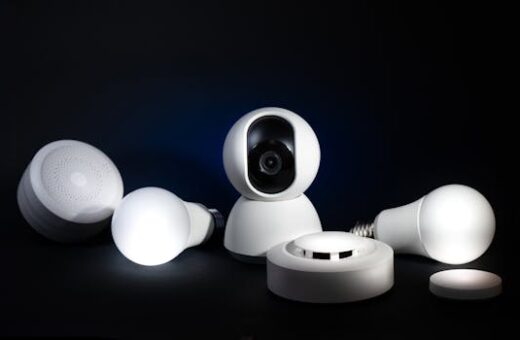
Integration with external services (such as weather or smart home devices) adds value. Planning can now adapt to real-time conditions, significantly enhancing your ability to anticipate and react.
- Digital planners allow instant changes and automatic syncing. No need to rewrite paper schedules; updates propagate across all your devices and platforms.
- Scheduled reminders notify you in advance and repeat as needed. This dramatically reduces the chance of missing important deadlines or meetings, fostering reliability.
- Cloud backups protect your work, even if your device is lost or stolen. You can restore your entire schedule and to-do list effortlessly.
- Customizable interfaces mean you can highlight priorities, deadlines, or personal notes, tailoring your planner to what matters most to you.
- Most digital planners support collaboration, enabling family, friends, or coworkers to view or edit plans securely and efficiently in real-time.
Common Pitfalls and Solutions in Digital Daily Planning
Even the best apps are not foolproof. Over-reliance on automation or neglecting regular reviews can cause missed deadlines or information loss.
Maintaining daily planning discipline requires balanced use. Check everything at least twice per day and don’t disable important notifications just to avoid distractions.
Tech fatigue can set in if you load up on too many features at once. Simplify first: use basic settings, then introduce more advanced options as needed.
Sync issues sometimes occur between devices. If tasks are missing, retrace your last few actions, confirm your account login, and use “force sync” features to re-align schedules.
When in doubt, seek help via app support or community forums. Most platforms offer expert advice and FAQs, plus step-by-step guidance for solving unique tech hurdles.
Conclusion
Success starts with selecting one digital planner, syncing across your devices, and setting brief daily reviews to build consistency without extra effort.
This sequence maximizes reliability, leverages best features, and avoids confusion from switching platforms. It creates a stable digital foundation for effective planning.
Be careful of notification overload; filter essential alerts and schedule batch review periods. This keeps your routines lean and focused while reducing burnout over time.
Start today by downloading your planner app, customizing reminders, and scheduling your first morning check-in. With small steps, technology will help you achieve daily planning goals.